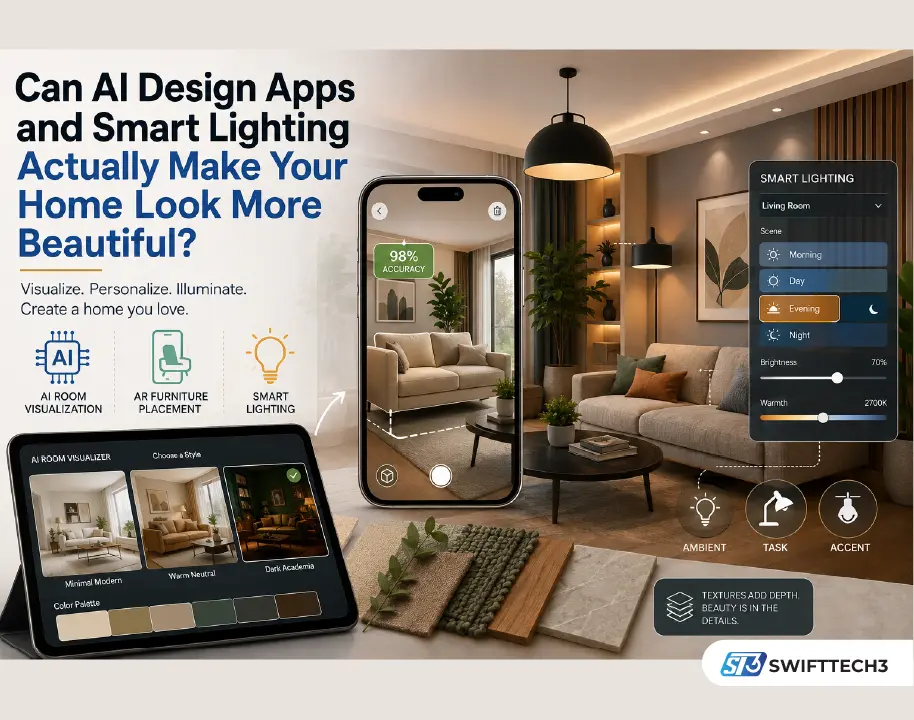
Yes — but not because of any single app or gadget. A genuinely beautiful home still comes down to how colour, lighting, furniture, and texture work together. What’s changed is how people get there. AI room-visualization tools, AR furniture apps, and app-controlled lighting have made it dramatically easier to test aesthetic home interiors before committing money to them, which matters because most expensive interior mistakes happen before anyone realizes the plan was wrong.
What Actually Makes a Home Look Beautiful
Beauty in interior design is genuinely subjective — one person wants soft neutrals and empty surfaces, another wants bold colour and statement furniture. What separates aesthetic home interiors from cluttered ones isn’t taste, it’s harmony: proportion, balance, and how each room visually connects to the next rather than existing in isolation. A home that looks intentional, rather than assembled piece by piece, is doing this well regardless of which style it follows.
Personal Experience: Where the AI Tools Actually Helped (and Didn’t)
I redid a living room last year and used an AI room visualizer — RoomGPT — to test five different styles on a photo of the actual space before buying anything. It genuinely saved me from a mistake: a “dark academia” palette that looked rich in the render looked cave-like once I pictured it against our north-facing window, which barely gets direct light. What the render couldn’t tell me was whether the sofa I was eyeing would fit the walking path between the door and the kitchen — for that, a tape measure and twenty minutes of masking-tape floor outlines did more than any app. The AI tools are genuinely useful for style and colour decisions; they’re still guesswork on scale and circulation unless you feed them exact room dimensions.
The Role of Colour — And Why AI Visualizers Are Good at This Specifically
Colour changes a room’s personality almost instantly, but testing colour used to mean buying sample pots and painting patches on the wall. AI visualizers solve this reasonably well: upload a photo, apply a palette, and see roughly how warm beige walls sit against wooden finishes and muted green accents before buying a single litre of paint. The goal isn’t perfect colour matching — screens render colour inconsistently — it’s confirming the direction is right before committing.
Lighting: The Biggest Shift Is in the Tech, Not the Theory
Layered lighting — ambient, task, and accent — has always been good design advice. What’s changed is how easy it now is to actually implement. Smart lighting systems can adjust colour temperature automatically through the day, cooler in the morning and warmer by evening, which used to require manually swapping bulbs or ignoring the effect entirely. Philips Hue’s SpatialAware feature, released in 2026, goes a step further: it uses your phone’s camera to map where each smart bulb physically sits in a room, so lighting scenes distribute correctly across the space instead of applying the same setting to every bulb regardless of position. If you’re planning a lighting layer for a room and can’t decide on fixture placement, these window shades and light-control ideas are worth reading alongside your lighting plan, since natural light and artificial layering need to be considered together.
Furniture: AR Solved the One Problem Measuring Tape Couldn’t
Furniture scale is where most rooms go wrong — oversized pieces crowd a small room, undersized pieces leave a large one feeling empty. AR furniture apps like IKEA Place let you place a life-size virtual version of a specific product in your actual room through your phone camera, at claimed accuracy around 98%, before buying it. This solves the visualization gap that measuring alone doesn’t: knowing a sofa is “84 inches” doesn’t tell you how it’ll feel next to your existing armchair. For non-standard rooms, built-in solutions and custom furniture still often beat off-the-shelf pieces, no matter how good the app preview looks.
Comparing the Main Tool Categories
| Tool Type | What It’s Good At | What It Can’t Replace |
|---|---|---|
| AI room visualizers (RoomGPT, Planner 5D) | Testing colour palettes and styles on real room photos | Accurate scale, structural constraints |
| AR furniture placement (IKEA Place-style apps) | Life-size preview of specific products in your space | Room flow and walking clearance judgment |
| Smart lighting (Philips Hue, IKEA smart bulbs) | Layered, adaptive lighting without rewiring | Choosing fixture placement and layout |
Textures Add Depth — No App Required Here
This is the one area where technology adds little to aesthetic home interiors. Layering wood, stone, fabric, and metal is a tactile decision — screens can approximate colour but not texture contrast, weight, or how a rug feels underfoot. If your budget or attention is limited, this is the area worth prioritizing over more app time.
How to Build a More Aesthetic Home Without Overdoing It
- Test your layout and colour direction digitally before buying anything physical.
- Use AR placement for any single expensive furniture piece, not the whole room at once.
- Keep smart lighting scenes to two or three, not a dozen — more options rarely get used.
- Prioritize durable, easy-to-clean materials in high-traffic areas. If robot vacuums or app-based cleaning tools are part of your routine, check what’s actually worth automating before choosing flooring and rugs, since some materials handle automated cleaning better than others.
- Leave visual breathing room — not every wall needs a statement.
FAQ
Are AI interior design apps actually accurate? For colour and style direction, reasonably. For exact scale and fit, no — always confirm dimensions separately.
Is smart lighting worth it just for aesthetics? Yes, if you value layered, time-adjusted lighting; the ROI is lower if you’re satisfied with a single central fixture.
Can AR furniture apps replace a showroom visit? They reduce the need for one but don’t fully replace testing comfort and material quality in person.
What’s the cheapest way to start? A free AI room visualizer and a phone with AR furniture support cost nothing beyond app downloads — cheaper than sample pots and return shipping.
Do I need a professional designer if I use these tools? Not necessarily for a single room; a professional still adds value for whole-home coordination and catching issues like storage or ceiling constraints an app won’t flag.
Will AI-generated room designs look generic? They can, if you accept the first result. Treat them as a fast first draft, not a final answer.
Takeaway
Pick one room, test two or three style directions with a free AI visualizer before buying anything, and spend the money you save on the one thing no app can substitute for: fabric and texture you can actually touch.